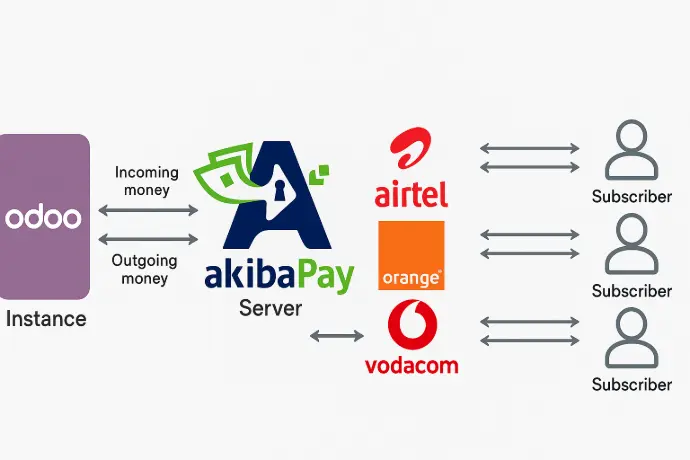
How does AkibaPay work in Odoo?
In 3 simple steps
1. Integration
Install and configure the AkibaPay module on Odoo.
2. Client Payment
The customer pays with their mobile number via secure push.
3. Reconciliation
The payment is automatically validated and recorded in Odoo.
Concrete use cases
💼 Customer invoice payment
Payment push directly to the customer's phone from Odoo.
🛒 eCommerce Order
AkibaPay is activated automatically when paying on your Odoo store.
🧾 POS Payment
Native integration with Odoo Point of Sale for instant payments.
Do you want to activate AkibaPay on Odoo?
Contact our team for a personalised demonstration and tailored advice for your business.
Test for yourself Contact formAkibaPay & Odoo: Why integrate them?
AkibaPay allows Odoo users in the DRC to cash out via Airtel Money, M-Pesa, Orange Money.
Which Odoo modules are compatible?
Odoo POS, eCommerce, Invoicing, Payroll and Accounting support AkibaPay.